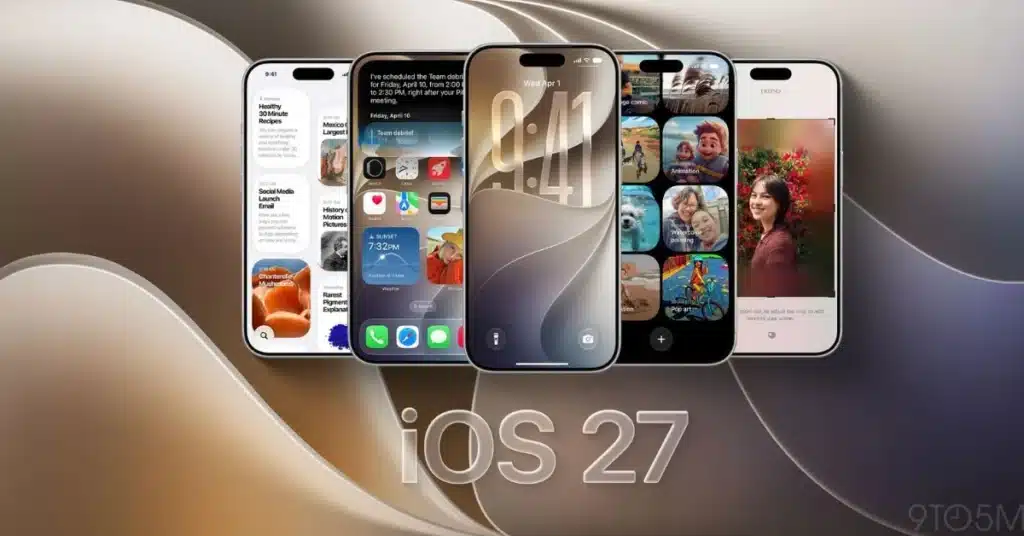
NEW YORK (Kashmir English): Apple has officially released iOS 27 and iPadOS 27, bringing a range of new features focused on artificial intelligence, Siri, photography, safety and the overall user interface.
The biggest highlight of iOS 27 is the upgraded Siri, which can better understand questions, remember conversation context and help users perform tasks across different apps.
Apple has also introduced a dedicated Siri app where users can start conversations and access previous chats.
Apple Intelligence has also added new capabilities to the Photos app. The improved Clean Up tool can remove unwanted objects more accurately, while the new Extend feature adds space around images. Spatial Reframing also allows users to adjust the composition of photos after they have been captured.
Several other apps have received AI-powered improvements. Safari can organize tabs by topic, Mail can suggest actions based on emails, Calendar can create events from natural-language instructions, and the Phone app can provide useful information during calls.
iOS 27 Compatible iPhones
iOS 27 is available for the iPhone 11 series and newer models, along with the second-generation iPhone SE and later. However, some Apple Intelligence features require newer iPhone models that support Apple’s AI capabilities.
| Feature | Details |
|---|---|
| Siri | Smarter conversations and improved context understanding |
| Photos | Improved Clean Up, Extend and Spatial Reframing |
| Safari | Topic-based tab organization |
| AI-powered action suggestions | |
| Calendar | Creates events using natural language |
| Phone | Useful information during calls |
| Child Safety | Enhanced controls for apps, websites and harmful content |
| Design | Updated and customizable Liquid Glass interface |
Apple has also introduced stronger child-safety tools, giving parents more control over the apps and websites children can access while adding protections against harmful images and videos.
The iOS 27 update is available free of charge on compatible devices. Users can install it by going to Settings > General > Software Update.