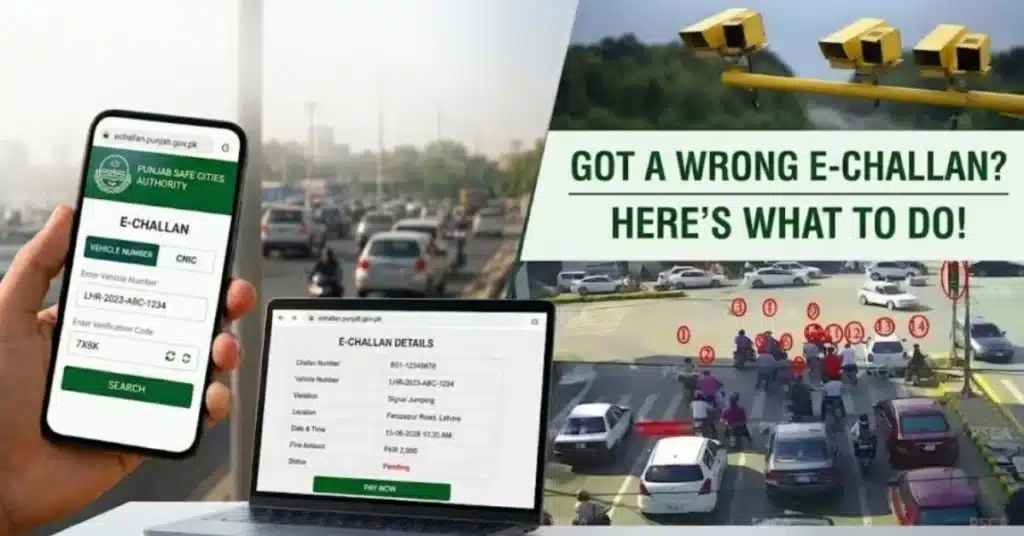
LAHORE (Kashmir English): Motorists in Lahore who receive an e-challan for a traffic violation they believe they did not commit can now challenge the disputed ticket online through the Punjab Safe Cities Authority (PSCA) e-challan portal.
The facility allows citizens to check their traffic tickets, identify disputed challans and submit review requests digitally, eliminating the need to visit a traffic office in person.
How to review a disputed e-challan
Motorists can follow these steps to submit an online review request:
- Visit the official PSCA e-challan portal: Open echallan.psca.gop.pk.
- Enter required information: Provide the details requested by the portal to access the relevant challan.
- Verify the ticket: Check the displayed information and make sure it is the e-challan being disputed.
- Select “Review”: Click the Review option available with the relevant ticket.
- Complete the request: Enter the required information and submit the review application through the portal.
- Wait for the decision: The concerned authorities will examine the request and communicate the outcome after completing the review.
Lahore Traffic Police offers assistance
The online review mechanism provides motorists with a convenient way to raise objections against potentially incorrect e-challans without making a physical visit to a traffic office.
Citizens who experience difficulties while submitting their review request can contact Lahore Traffic Police at 0322-5638888 for guidance and assistance regarding the e-challan review process.
Motorists are advised to carefully check the information entered on the portal before submitting a complaint to ensure that the correct traffic ticket is being challenged.